What Is a CSS Partner? A 2026 Definition

Founder · Gezar & TheCSSPartner
Runs Gezar and TheCSSPartner, an authorised Comparison Shopping Service for Google Shopping. Grenaa, Denmark (CVR 42476226).
6 min
A CSS Partner (Comparison Shopping Service Partner) is a company authorised by Google to submit your product listings to Google Shopping on your behalf, instead of you submitting them directly through Google's own Shopping service. Google's own CSS keeps a fixed margin on every bid before it enters the auction. Google does not publish the size, and around 20% is the figure commonly cited in the industry. Through another authorised CSS, your full bid competes, with no change to your product feed, your prices or your Google Ads account.
The sections below explain where the saving comes from, what changes on your account, how the switch works step by step, and the questions people ask right before they make the move.

What a CSS Partner is
A Comparison Shopping Service (CSS) is an entity that Google has authorised to plug into the Google Shopping auction on behalf of merchants. Google created the CSS programme in 2017 to comply with the European Commission's antitrust remedy (more on that below), and it has run ever since across the European Economic Area.
A "CSS Partner" is simply a CSS that a webshop signs up with. When you connect your Google Merchant Center to an authorised CSS, your Shopping ads are submitted to the same auction Google already runs, just through a different, cheaper entry point.
That is the whole mechanism. Everything else about your Shopping presence stays exactly as it was:
- Your ads appear in the same ad slots, at the same positions.
- Your products, prices, titles, descriptions and images are unchanged.
- Shoppers see the same ad they would have seen anyway.
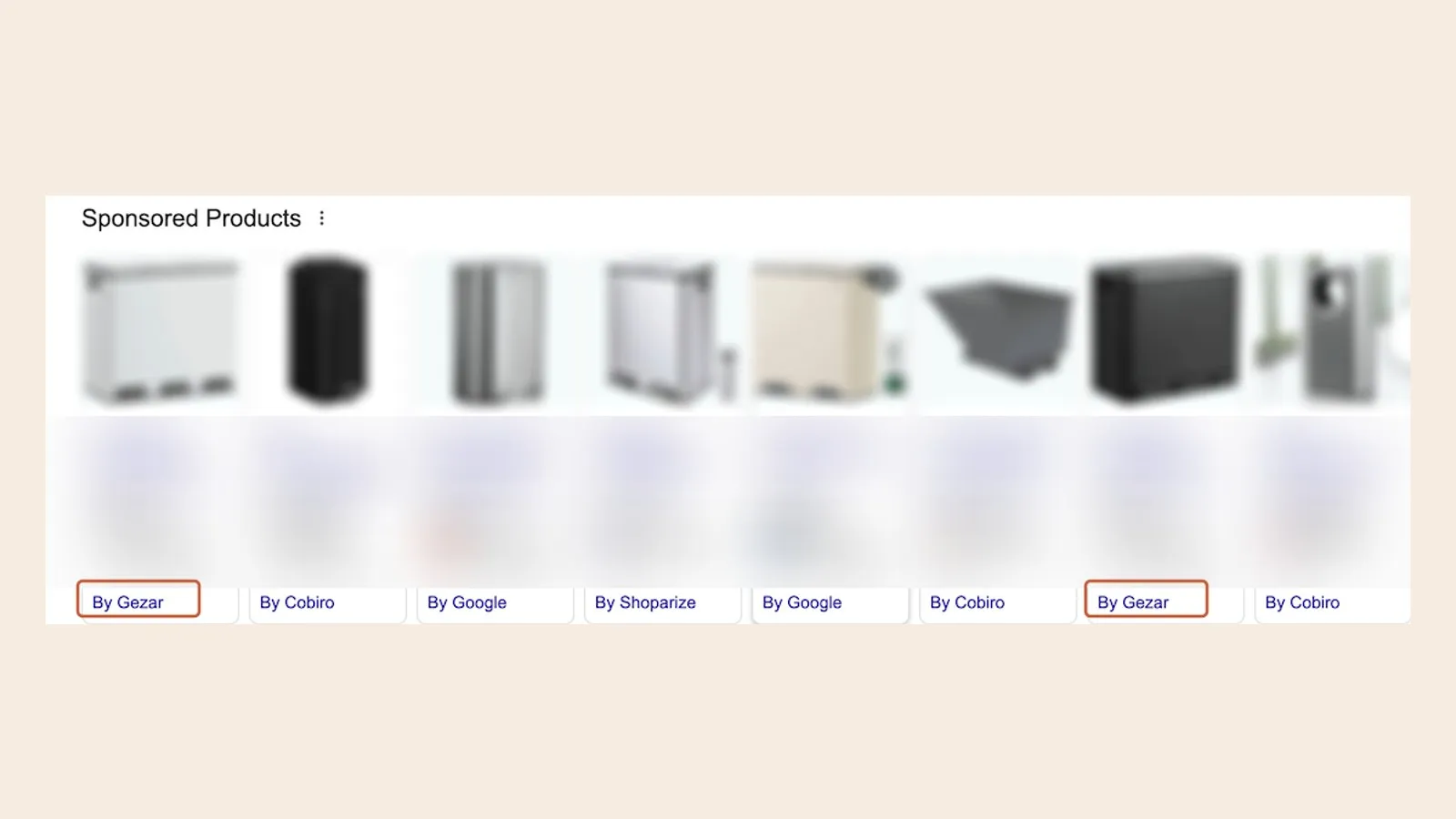
- The only visible difference is a small grey line under the ad that names your CSS provider instead of "Google".

If you search Google Shopping right now for almost any product category, you will see this line under multiple ads. It usually reads something like "by [Provider Name]". That line is publicly verifiable: it is not a marketing claim, it is what Google's own ad renders.
Where the extra bid power comes from
This is the part that sounds too good to be true until you see the regulatory history behind it.
On 27 June 2017, the European Commission fined Google €2.42 billion in case AT.39740 for giving its own comparison shopping service an illegal advantage over competitors in general internet search results. As part of the remedy Google put in place afterwards, it opened its Shopping auction to authorised third-party CSS providers on equal terms, so that competition among comparison shopping services could exist again. The Court of Justice of the EU upheld the Commission's decision in 2024, confirming the ruling and the remedy that followed it.
That equal-access structure is what creates the extra bid power. When your ads run through Google's own Shopping service, Google takes a margin before your bid enters the auction. When you run through an authorised CSS, your bid enters the auction without that layer. More of your budget reaches the auction itself, which means more clicks for the same spend, or the same clicks for less spend.
This is a structural, regulatory reality that applies to any authorised CSS operating in the European Economic Area, not a promotional discount from one provider. Read more about the EU ruling behind CSS.
What up to 25% more bid power means, precisely
The extra bid power works in the auction. It does not touch your product prices, your ad creative, or your ranking.
- Your customers see the same prices for your products.
- Your ads show the same images, titles and descriptions.
- Your ads rank in the same positions they would have anyway.
- Nothing changes for the shopper clicking the ad.
What changes is how much of your bid reaches the auction. Through Google's own CSS, a bid of €1.00 can enter as €0.80; through an authorised CSS, the full €1.00 enters. If you currently spend €5,000 per month on Google Shopping, that can mean roughly the same number of clicks for about €4,000, or the same €5,000 budget stretching to around 25% more clicks.
To be precise: Google does not publish its margin, and up to 20% is the figure the industry works with. Where the extra bid power lands depends on your category, your current bids, and how your campaigns are already structured.
Bid power estimate
Illustrative EUR inputs, not a quote or guaranteed saving. Figures describe the margin of up to 20% that Google's own CSS takes off each bid, which is the same as up to 25% more bid power through an independent CSS. Whether it shows up as lower click prices, more clicks or better positions varies with market, feed quality and competition. The monthly CSS fee is subtracted.
What does not change (the question everyone asks first)
Every merchant who first hears about CSS asks some version of "what's the catch". There is not one, but it is worth being explicit about what stays exactly as it is:
- Your Google Ads account stays yours. You keep full control and full ownership.
- Your campaign structure, bids, budgets and targeting are untouched.
- Your product feed and Merchant Center data are unchanged.
- Your ad placements, impression share and ranking are unaffected.
- Your customers see identical ads, identical prices, identical products.
- You do not need to learn a new platform, migrate anything, or retrain your team.
- Your existing agency, if you have one, keeps managing your campaigns exactly as before.
The only thing that changes is which CSS is linked to your Merchant Center account. That is a single settings change at the infrastructure layer, below your campaigns, not inside them.
Is a CSS Partner the same as switching agencies?
No, and the distinction matters more than most explanations give it credit for.
A Google Partner agency (or an in-house team) manages your Shopping campaigns: it writes your bids, structures your campaign groups, and optimises your feed and targeting. That is a management layer.
A CSS sits one layer below management. It determines how your bids are submitted into the Shopping auction, not how those bids are decided or structured. The two are independent decisions that do not conflict with each other.
You can run a CSS while managing your own ads, while working with any agency, or while using any bidding tool or automation. Switching CSS provider changes nothing about who manages your account.
How the switch works
Moving your Shopping ads onto an authorised CSS is a one-time change, and it takes about 24 hours end to end. The typical flow looks like this:
- Sign up with the CSS provider. A few minutes, usually a self-serve form.
- Approve a connection request in Google Merchant Center. One click, done inside your existing Merchant Center account.
- The provider completes the CSS configuration. Within roughly 24 hours, your ads are running through the new CSS.
Your campaigns keep running throughout this process. There is no downtime, no pause in delivery, and no relearning phase for Google's ad-ranking algorithm, because the switch happens at the routing layer beneath your campaigns, not inside them. For the full picture, read the full switching guide.
Who benefits from using a CSS
Any webshop running Google Shopping ads in a country where Google CSS is available benefits, in principle, from switching. There is no minimum spend threshold and no minimum product count required to make the saving real.
The saving scales with spend: the more you already invest in Shopping, the larger the absolute saving. But it applies at small scale too, since the CSS subscription itself is a flat monthly fee that does not scale with your spend, so even modest Shopping budgets come out ahead. You can also see the flat pricing.
How to verify a CSS Partner is legitimate
Because the CSS mechanism is genuinely obscure to most merchants, it is worth knowing how to check that a provider is real and authorised, rather than taking a sales page at its word.
- Search Google Shopping for a product in your category and look at the grey attribution line under ads. Providers that are running live campaigns will show up there, named explicitly.
- Check that the provider is listed as a Google-authorised CSS, not simply a marketing agency claiming CSS capability. Authorised CSS providers connect through Google's official CSS Center infrastructure.
- Confirm the connection happens inside your own Merchant Center, via Google's own account-linking flow, not through credentials handed over to a third party.
- Read the terms for lock-in. A CSS switch should be reversible at any time; if a provider requires a long contract to access a structural, regulatory saving, that is worth questioning.
What "The CSS Partner" specifically offers
This article is written by the team behind The CSS Partner, an authorised CSS founded by Magnus, based in Aarhus, Denmark, and registered under a Danish CVR number. A few specifics, so this is not an anonymous explainer:
- A published price per shop, with a lower rate on every shop from five shops up, for agencies and multi-shop accounts.
- No lock-in: cancel the connection in Merchant Center at any time.
- 60-day money-back guarantee. No questions asked.
- Works with both standard Shopping campaigns and Performance Max.
- Live within 24 hours of connecting your Merchant Center.
- Direct support from the team running the service, not a ticket queue.
The short version
A CSS Partner is a Google-authorised provider that submits your Shopping listings on your behalf. Google's own CSS keeps a margin on every bid, commonly put at around 20%, and through another CSS your full bid competes. That option exists because a 2017 EU competition ruling forced Google to let rival comparison shopping services into the Shopping auction on equal terms. The ads shoppers see are identical, your Google Ads account stays fully yours, and the switch is a single Merchant Center approval that takes about a day. If you spend money on Google Shopping in Europe, it is one of the few genuinely structural wins available to you at essentially zero switching cost.
Ready to see what it looks like for your account? Read how it works in detail, check the flat pricing, or get started and go live, usually within 24 hours.
Frequently asked questions
Is a CSS Partner the same as a Google Partner agency?
Is using a CSS Partner safe?
Does a CSS Partner work with Performance Max?
How much does a CSS Partner cost?
Will switching to a CSS affect my ad ranking or Quality Score?
Is the extra bid power permanent?
Can I switch back to running directly through Google, or switch CSS providers again?
How do I verify a CSS Partner is authorised and running real campaigns?
See it on your own account
Usually live within 24 hours, from 11.66 €/month per shop, every live CSS country included, no contract.
Get started